 SpellTrainer
She hears the word. She writes it with her pencil. The iPad reads her handwriting.
Spelling practice for a child of six to nine, on an iPad, with an Apple Pencil. No account, no advertising, and nothing about her leaves the iPad.
Any iPad from 2018 · iPadOS 17 or later · Apple Pencil required
Handwriting is how a word becomes hers.
Tapping letter tiles tests whether she can recognise a word. Writing it with a pencil asks more of her: the hand has to form every letter in order, and the order is the spelling. That effort is what makes the word stay — the same reason a phone number you have dialled a hundred times is in your fingers, not your head. SpellTrainer is built on that one idea. She hears the word, she writes it by hand, and the iPad reads what she wrote.
Coming to the App Store.
Practice that looks like the exercise book
A spelling app that asks her to write, not to tap.
- A ruled line and a pencil, the way her teacher does it.
- The iPad reads what she actually wrote — on the iPad, never sent anywhere.
- Right: a star. Wrong: the letters, side by side with her own.
Three ways to practise
Practise
The word is on the line in grey and she traces it. The picture and the meaning are there too. This is the mode for a word she has never met.
Listen
The iPad says the word and she writes it on an empty line. Nothing is shown to copy. This is the spelling test, without the red pen.
Say it
The word is on the screen and she reads it out loud. It is the one mode that uses her voice, and the only place anything ever leaves the iPad — see Privacy below.
Forty words that sound like another word — two and to, hear and here — are kept out of Listen and Say it. They are still there to practise.
Nothing she has done is ever taken away
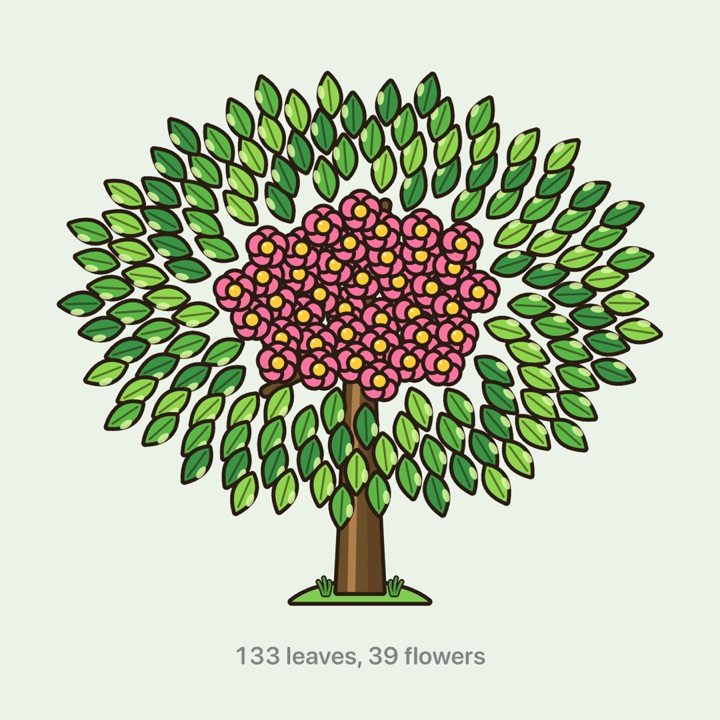
A tree grows on the home screen, and it is hers.
- Every word she learns thickens the trunk. Every finished list adds a leaf.
- Come back a fortnight later and still know every word: the leaf becomes a flower.
- No leaf ever fades, shrinks or falls. No count of what is left.
Where she is growing
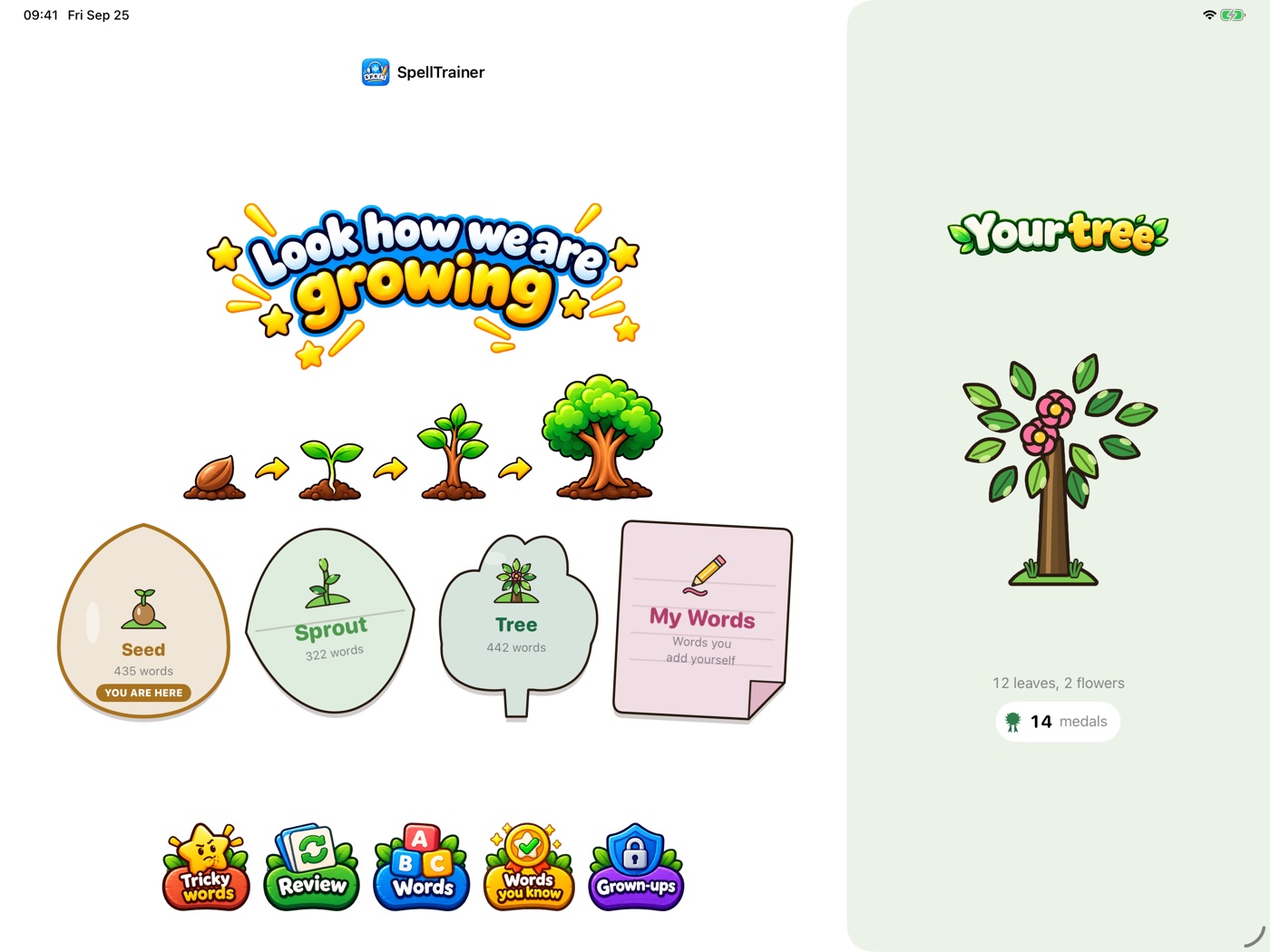
Four places rather than four levels, because a seven-year-old does not want to be told she is on level one.
- Seed — 58 lists, 435 words. First words: colours, animals, the family.
- Sprout — 48 lists, 322 words. Weather, feelings, telling the time.
- Tree — 66 lists, 442 words. Jobs, journeys, the words for thinking and feeling.
- My Words — whatever an adult puts there. Usually this Monday's spellings.
The vocabulary is built from the Cambridge Young Learners word lists — Starters, Movers and Flyers. She never sees those names; she sees a seed, a sprout and a tree.
Every word carries its own meaning and its own sentence
- 1,199 words in 172 lists. A picture where a picture is honest.
- A meaning in your language — Turkish, Spanish, German, French or Italian — and a sentence the iPad can read to her.
- No sentence uses a word from a level above her own.
Finding the one she wants
- She types what she remembers — a list's name, or a word in it — and a misspelling still finds it.
- elefant finds the list that teaches elephant.
What she keeps
- A word is learned when she spells it right, first time, three times running.
- Learned words collect on a screen of their own. Finished lists put a medal on a shelf.
- No points, no streaks, no percentages, nothing that expires at midnight.
Your words, not only ours
- Type in this week's list from school, or paste the lot — cat = kedi on each line.
- Her own words get the same three modes and the same marking.
Privacy
Nothing about her leaves the iPad — with one exception, and here it is.
When she speaks a word in Say it, the app asks the iPad to recognise what she said. Most iPads do that themselves and nothing is sent anywhere. On an iPad that cannot, iPadOS sends that audio to Apple to be recognised, and Apple's privacy policy governs it from there.
Her handwriting is read on the iPad, always, on every model.
Everything else stays put:
- No account, no name, no email address, no date of birth. The app does not know who is using it.
- No advertising, no analytics, no crash reporting, no tracking, no third-party software.
- No messaging, no social features.
- No links out that she can reach. The subscription screen carries the two links Apple requires and sits behind the grown-ups question.
- No sync and no cloud. There is no server to have.
An adult can export her records, save a backup, or share the progress report — each only when she asks, and each only to where she sends it.
Read the full privacy policy — it is the same text the app shows under Grown-ups ▸ Privacy.
Made for a child, and for the adult beside her
- The grown-ups area is behind a question a child cannot answer — a multiplication that changes every time. Settings, deletion and the backup live there.
- Adding words does not need the gate. Anything that adds is open; only what destroys is behind the question.
- Her handwriting is kept, so you can look back at what she actually wrote, not just whether it was marked right.
- The app never judges her handwriting for neatness. It reads the word and tells her whether the spelling is right.
- The first launch asks two questions, both of which can be skipped: which language the meanings should be in, and whether an Apple Pencil is paired. The Pencil check works by asking you to draw — the writing area ignores fingers, so a mark appearing is the proof.
- Reminders are off until you switch them on, and the iPad asks permission at that moment rather than on the first launch. Daily or weekly, addressed to you, and carrying no streak to break and no count of days missed.
What you need
- An iPad running iPadOS 17 or later — that is any iPad from 2018 onwards, and the iPad Pro from 2017. It does not have to be a new one. It is not an iPhone app.
- An Apple Pencil. The writing area ignores fingers on purpose — a finger cannot form letters, and a child who tries learns the wrong thing about her own handwriting.
- Nothing else. No internet connection is needed to practise.
Questions
Do I need a new iPad?
No. Any iPad from 2018 onwards runs it, and so does the iPad Pro from 2017 — the school hand-me-down in the drawer is very likely fine. What it does need is an Apple Pencil, and the 2018 iPad was the first ordinary iPad to take one.
Does it work on an iPhone?
No. It is an iPad app. The writing area needs the room.
Does it work without an Apple Pencil?
No. Writing is the whole of it, and a finger is not a pencil.
Which languages can the meanings be in?
Turkish, Spanish, German, French or Italian. The child's own screens are in English either way.
Does it need the internet?
No, except that one case in Say it on older iPads. Everything else works with the iPad in aeroplane mode.
What does it cost?
The app is free to install and free for a week. After that, practising needs a subscription — monthly or yearly. The screen that asks for it is behind the grown-ups question, so a child never meets it.
What happens if I stop paying?
Everything she has done stays hers. Her words, the ones she has learned, her handwriting and her whole history remain, and you can still export them. Only the practising stops.
Can I add my own spelling list?
Yes. That is what My Words is for, and there is a paste-a-list box for a whole week at once.
Can two children share one iPad?
No. One child per iPad, by design. It keeps her record hers.
How do I delete everything?
Grown-ups ▸ Clear the practice record, or Start this iPad again for someone new, or delete the app. There is no copy anywhere else to ask about.